





![图片[1]-Ubuntu 18.04 apt 修改腾讯源](https://www.lstray.com/wp-content/uploads/2023/03/4a47a0db6e153831.png)
一、编辑 /etc/apt/sources.list
替换至/etc/apt/sources.list文件中。
deb http://mirrors.tencentyun.com/ubuntu/ bionic main restricted universe multiverse
deb http://mirrors.tencentyun.com/ubuntu/ bionic-security main restricted universe multiverse
deb http://mirrors.tencentyun.com/ubuntu/ bionic-updates main restricted universe multiverse
#deb http://mirrors.tencentyun.com/ubuntu/ bionic-proposed main restricted universe multiverse
#deb http://mirrors.tencentyun.com/ubuntu/ bionic-backports main restricted universe multiverse
deb-src http://mirrors.tencentyun.com/ubuntu/ bionic main restricted universe multiverse
deb-src http://mirrors.tencentyun.com/ubuntu/ bionic-security main restricted universe multiverse
deb-src http://mirrors.tencentyun.com/ubuntu/ bionic-updates main restricted universe multiverse
#deb-src http://mirrors.tencentyun.com/ubuntu/ bionic-proposed main restricted universe multiverse
#deb-src http://mirrors.tencentyun.com/ubuntu/ bionic-backports main restricted universe multiverse
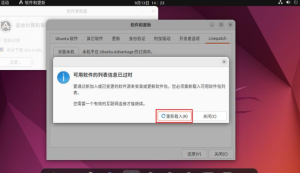
三、刷新软件源信息:
sudo apt update
四、更新软件
sudo apt upgrade


![【战神引擎】免授权-原生 [全屏自动拾取] 插件 + 配置教程(更新修复版,具体自测)-流浪源码网](https://www.lstray.com/wp-content/uploads/2023/08/4a47a0db6e140023-300x172.png)








暂无评论内容